
Web Scan & Dual Chat App
Vasundhara Infotech LLCCommunication
4.537.00 Reviews
- Version
- 1.9
- Installs
- 10.00K
- Age Rating
- Everyone
Screenshots
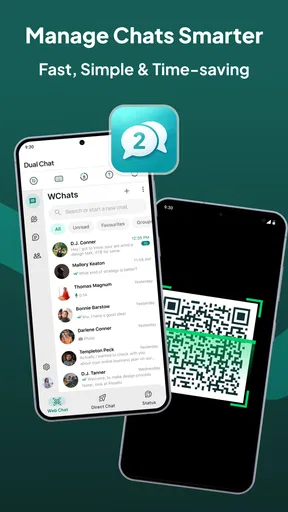
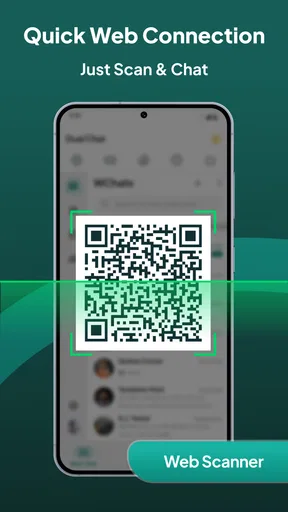
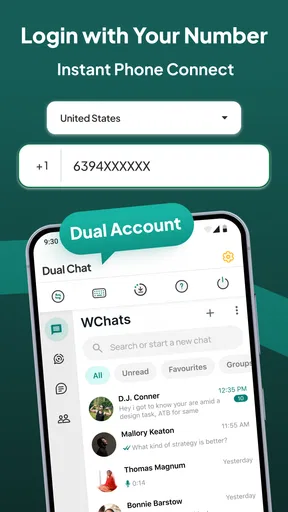
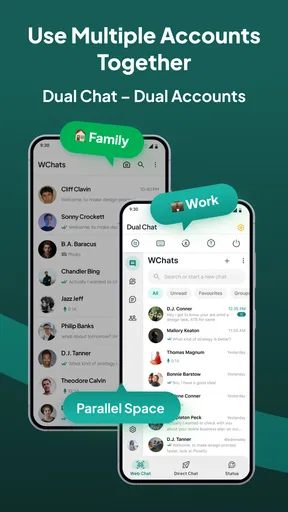
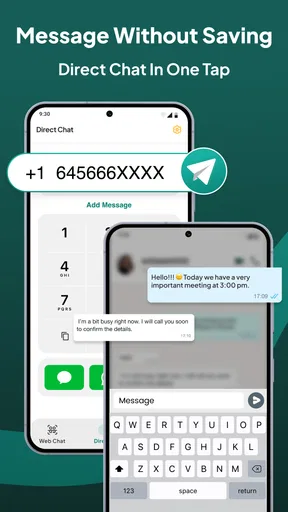

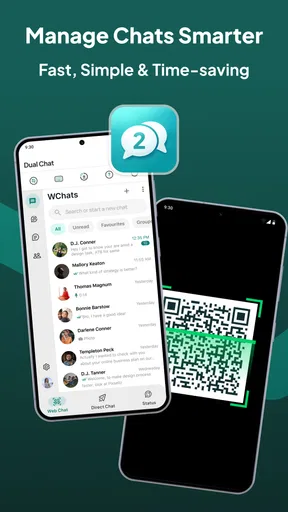
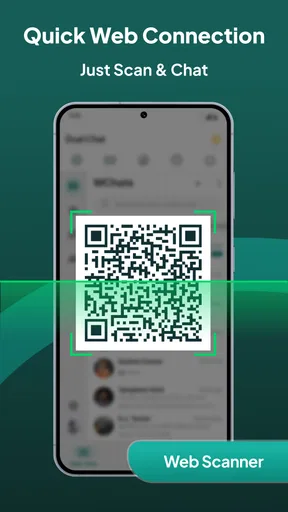
Our Review of Web Scan & Dual Chat App
 Analysis by Appyee
Keeping two chat accounts available on one phone sounds like a small convenience until it becomes part of your daily routine. I noticed the difference most when switching between personal conversations and messages connected to work or another social circle. Instead of reaching for a second device or repeatedly signing in and out, Web Scan & Dual Chat gives that separation a more practical place in the same handset. It is a communication app from Vasundhara Infotech LLC, aimed at people who need to manage multiple accounts and chats without making every exchange feel like a technical task.
My overall impression is that the app is less about adding another messaging community and more about changing the rhythm around existing chats. It can make conversations easier to reach, but it can also make it tempting to stay available all the time. That distinction matters. I would recommend it to someone who regularly handles two accounts and wants a straightforward way to keep them within reach. I would be more cautious with it for anyone who is already trying to reduce screen interruptions or who prefers one carefully controlled inbox.
How Web Scan & Dual Chat fits into everyday communication
I find the everyday value of Web Scan & Dual Chat clearest when I treat it as a way to choose the right conversation space, not as a reason to keep every chat open all day. That distinction helps me judge whether its account access fits my routine: the best setup is the one that reduces avoidable switching while still letting me decide when I’m available.
A practical answer to the second-account problem
The strongest reason to use Web Scan & Dual Chat is simple: it brings multiple chat identities into one-device use. In real life, this can mean separating a personal account from a business account, keeping a family-related account apart from a community account, or maintaining access to a second profile while travelling between devices. The value is not that messaging itself becomes more advanced. The value is that the switching friction becomes smaller.
Before using an app like this, many people develop awkward habits. They keep one account open in a browser, borrow another device, or sign out of one service whenever a different conversation needs attention. Those workarounds interrupt the flow of a conversation and increase the chance of replying from the wrong identity. A dedicated space for web-based chat access does not remove that risk entirely, but it makes the separation more visible and easier to manage.
I found the concept especially useful for people who need clear context before replying. When several conversations look similar, the account you are using becomes part of the meaning of the message. A quick answer to a friend is not the same as a reply to a customer, colleague, club, or volunteer group. Keeping those contexts apart can improve tone and reduce embarrassing mistakes.
The app is free to install and is suitable for Everyone, which makes the basic idea approachable for a broad audience. Its current release is version 1.9, and it runs on devices using Android 7.0 or later. Those details make it a reasonable option for people using older phones, although the experience will still depend on how comfortably the device handles web-based communication and switching between active sessions.
Who benefits most from the setup
I see three especially good use cases. The first is a small business owner who answers customers from one account while keeping personal messages separate. The second is someone who manages a group, page, or side project and does not want those conversations mixed into a private inbox. The third is a person who has a second account for a different region, language community, or household role and needs occasional access without carrying another phone.
There is also a quieter benefit for people who share responsibilities. For example, a family member might need to check a household account while still keeping their own conversations available. The important point is to decide in advance which account belongs to which purpose. The app can help with access, but it cannot create good boundaries automatically. If the account labels and habits are unclear, having more chats in one place may simply create a new kind of confusion.
I would skip it if you only have one account and rarely use web-based chat. In that situation, the extra layer may not save meaningful time. I would also choose a platform’s official multi-account support first when that option is available and comfortable for your workflow. Official tools usually fit more naturally into notifications, security controls, and account management. This app makes more sense when the usual arrangement is inconvenient and the ability to reach separate chats from one device is the priority.
What the daily conversation flow feels like
The best way to use it is deliberately rather than constantly. I would open one account, finish the small group of conversations that need attention, and then move to the other account with a clear reason. That approach preserves the app’s main advantage while avoiding a cycle of checking every inbox whenever a notification appears.
A realistic example is a person who works a morning shift and runs a small online shop in the evening. During the day, one account may need quick replies from colleagues. Later, the second account may contain customer questions. With both available on the same phone, the user can handle each block of messages without logging out or carrying a spare device. The useful habit is to process the accounts in separate sessions, not to jump between them after every message.
That small change in rhythm improves clarity. I am less likely to answer a personal question while thinking about a work issue, and I can give each conversation type the right amount of attention. The app does not make me more productive by itself; it makes a more organized routine easier to follow.
Where the convenience creates attention costs
The same access that removes friction can also remove a natural stopping point. If two accounts are always close at hand, there are twice as many reasons to check the phone. A message that would previously wait until I reached another device can now feel urgent simply because it is visible. This is the main trade-off I would want a friend to understand before installing it.
I recommend deciding what deserves an immediate reply and what can wait. A useful personal rule is to avoid switching accounts in the middle of a focused task unless the second conversation is genuinely time-sensitive. Another is to review messages in batches. These habits sound basic, but they matter more when the app makes access effortless.
There is also a mental switching cost. Even when every chat is technically easy to reach, the tone and responsibility of each account may be different. Moving from a private conversation to a customer discussion demands a reset. If I rush that transition, my replies become shorter, less clear, or poorly matched to the person receiving them. The app helps with location, not with emotional or professional context.
For that reason, I would not treat it as a replacement for a notification strategy. If the phone already produces too many alerts, adding another route to conversations may make the day feel more fragmented. The better approach is to use the app as a controlled doorway: open it when communication is planned, then leave it when the conversation block is finished.
Boundaries, privacy habits, and account clarity
Multiple-account communication works best when each account has a visible purpose. I suggest using distinct profile images or names where the connected service allows it, and checking the active identity before sending anything sensitive. That second check is not wasted time. It is the simplest protection against sending a personal message into a work-related conversation or sharing a detail with the wrong audience.
I would also avoid treating the app as a private vault. The fact that chats are gathered through a convenient access point does not mean the phone should be left unlocked or that every account should remain open indefinitely. A shared household phone, an unlocked desk device, or a lost handset can turn convenience into exposure. Basic phone security and careful sign-out habits still matter.
Another practical boundary is deciding who is allowed to use the second account. If a family member or colleague occasionally needs access, agree on when that access is appropriate rather than leaving the arrangement vague. Clear ownership reduces misunderstandings and makes it easier to notice when a message appears in the wrong place.
In-app purchases range from $5.99 to $69.99 per item, so I would review any purchase prompt carefully before confirming it. The free entry point is useful for testing whether the workflow actually solves a problem, but I would not pay simply because having two accounts feels novel. The right question is whether the time and confusion saved in your routine justify spending more.
How it compares with ordinary alternatives
The most obvious alternative is using the official app for one account and a browser tab or web session for the other. That can work, especially for occasional access, but it often feels less consistent on a phone. Browser sessions may be easy to forget, and moving between them can make the active identity less obvious. Web Scan & Dual Chat is more appealing when that repeated browser workaround has become part of every day.
A second alternative is carrying two phones. That gives stronger physical separation and may be preferable for people who need strict work-life boundaries. The downside is the extra device, charger, maintenance, and attention. If the two accounts are only used intermittently, putting them on one phone is more practical. If the separation must be absolute, another device remains the cleaner choice.
Some Android phones and communication services offer built-in account duplication or multi-account tools. Those options deserve a look before installing anything else because they may integrate better with the operating system. However, built-in support can vary by device and service. This app’s appeal is its focused purpose: it is for someone who wants a dedicated way to reach separate chats rather than a broad phone-customization system.
I would also distinguish it from a normal messaging app. It does not replace the communities, contacts, or conversation networks where messages originate. Its role is more like a bridge to existing chat activity. That means the quality of the experience depends heavily on how well your accounts and web-based sessions behave. Users expecting a new social network, advanced conversation tools, or a unified inbox with deep organization may find the concept narrower than they hoped.
Small workflow choices that make a big difference
My first tip is to give each account a job. “Personal,” “work,” or “community” is more useful than thinking of them as merely account one and account two. That mental label helps me choose the correct space before I start typing, especially when a message arrives quickly.
My second tip is to compose sensitive replies slowly after switching. I would read the account context, reread the recipient, and then send. This is particularly worthwhile when the two accounts have similar contact names or when a conversation involves private information. The extra pause is more valuable than the few seconds saved by instant switching.
My third tip is to create a closing ritual. After finishing a batch of messages, I would leave the app rather than keeping both conversations available in the background of my attention. This turns the tool into a communication window instead of a permanent invitation to monitor every chat.
A fourth useful habit is to use the second account for planned availability rather than emergency responsiveness. If people know that you check that account at certain times, they are less likely to assume every message deserves an immediate answer. The app can support healthier expectations when I pair it with clear communication about when I am reachable.
Performance expectations and the learning curve
The basic idea is easy to understand, which is one of its strengths. Someone who already knows how their chat accounts work should not need to rethink communication from the ground up. The learning curve is mostly about remembering which account is active and deciding when to switch.
The friction appears when the user expects everything to behave like a fully native messaging environment. Web-based access can feel less direct than a service’s official mobile application, and switching contexts may require more attention than simply tapping a conversation. That does not make the app ineffective, but it means I would judge it by the problem it solves rather than by whether it feels identical to a native inbox.
Its audience size also suggests a focused rather than universal tool: it has over ten thousand installs and a 4.5 average from around 4.7 thousand ratings. I read that as evidence that the central use case resonates with many people, while the relatively specialized purpose still means it is not something every phone owner needs. The app has 37 written reviews, so I would pay more attention to whether its workflow matches my own routine than to general popularity alone.
My final view on communication rhythm and control
Web Scan & Dual Chat is useful when the problem is not a lack of messaging options but too much friction between separate identities. It puts multiple chat paths within reach on one device, which can make replies more timely and reduce the need for repeated sign-ins, browser workarounds, or a second phone. For a small business owner, community organizer, or anyone balancing two communication roles, that is a meaningful improvement.
Still, I would not call it an automatic upgrade for everyone. The more accessible every account becomes, the easier it is to lose quiet time. The app can improve clarity when I use deliberate account labels, batch conversations, and check the active identity before sending. Without those habits, it may simply make interruptions more convenient.
My recommendation is to try the free version with one specific workflow in mind. If it replaces a frustrating daily workaround, it earns a place on the phone. If it only adds another place to check, the official app, a browser session, or a second device may be the better answer. For me, the deciding strength is not the promise of endless availability; it is the ability to choose which conversation space I am entering and leave it when that conversation is done.
That makes the app a sensible communication utility rather than a must-have for every user. I would recommend it to people who need two chat identities together and are willing to set boundaries around that access. Used that way, the real benefit is clearer communication with less account-switching friction, not more time spent online.
Verdict
Strengths of Web Scan & Dual Chat App
- Quickly scans QR codes and opens linked content.
- Supports using two chat accounts on one device.
- Simple interface that is easy for new users to navigate.
- Useful tools are grouped together in one convenient app.
- Works well for occasional scanning and account management needs.
Limitations of Web Scan & Dual Chat App
- Some features may require in-app purchases or subscriptions.
- Dual-chat support may vary depending on the messaging service.
- Scanning unknown QR codes can expose users to unsafe links.
- Ads may interrupt navigation in the free version.
- Privacy practices should be checked before connecting chat accounts.
Similar Picks in This Category
View All
Google Messages
Google LLC4.6

Gmail
Google LLC4.1

Google Meet
Google LLC4.4

Google Chrome
Google LLC4.1

WhatsApp Messenger
WhatsApp LLC4.6

Carrier Services
Google LLC4.2
Frequently Asked Questions
What is Web Scan & Dual Chat App, and how does it work?
Web Scan & Dual Chat App is designed to let users access and manage a messaging account from an additional device, usually by scanning a QR code displayed on the screen. After pairing, conversations and account activity may appear through the connected session. The exact functions depend on the messaging service being used, so users should review the app’s permissions, compatibility, and terms before connecting an account.
Is Web Scan & Dual Chat App safe to use with my messaging account?
Safety depends largely on how the app handles account credentials, scanned QR codes, permissions, and stored information. Before using it, check the developer details, privacy policy, user reviews, and requested access. Never scan codes from unknown sources, and avoid entering passwords or verification codes into unofficial screens. It is also wise to review active linked devices regularly and disconnect anything unfamiliar.
Can I use Web Scan & Dual Chat App to run two chats or accounts on one phone?
The app is primarily intended to help users view or manage a connected messaging session, and its dual-chat features may vary according to the supported platform. It should not automatically be assumed to create a completely independent second account. Some services limit simultaneous sessions, notifications, or device connections. Confirm compatibility with your specific messaging application before downloading or pairing.
Does Web Scan & Dual Chat App read or store my private messages?
Any app that displays content from a connected messaging session may require access to notifications, files, contacts, or other device features. Whether messages are stored, transmitted, or processed depends on the developer’s implementation and privacy policy. Before granting access, read the permissions carefully and consider whether they are necessary. Avoid using the app for sensitive conversations if its data practices are unclear.
What should I do if I want to stop using Web Scan & Dual Chat App?
If you decide to stop using the app, first disconnect or log out from the linked messaging session inside the original messaging service. Then revoke the app’s permissions, remove any linked device you do not recognize, and uninstall the application if necessary. Clearing its local data can also be useful. Changing your account password and enabling two-step verification provides additional protection.
